
Swift
POS
System

By Influx.Studio
We designed the Swift visual identity from the ground up,
capturing the new companies excitement and value in a new
logo and brand style guidelines. We then built a highly-effective
system that helps create a contactless dining experience.
Overview
The Mission

Swift aims to create a convenient, flexible, and scalable interface suitable for both customers and restaurants giving users the opportunity to order, track and pay for their food immediately. The application will also use Augmented Reality to show real live photogrammetry models of the food, making the menu come to life

Services

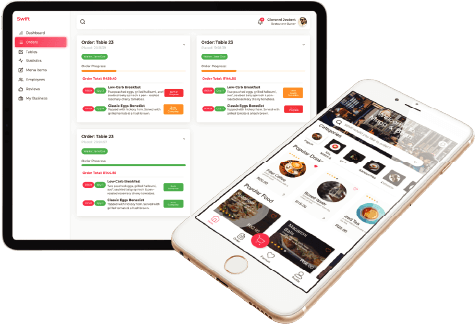
Swift consists of a customer and a management application that offers services such as order management, business logic, creating a customisable menu, live order status tracking, Augmented Reality menu items, Machine Learning recommendations, and many more.

The Outcome

The software system must perform smoothly and accurately in real time, in a bid to attract a substantial number of both restaurants and customers to employ the system. The design of the system must strive to be user friendly, clean, and easy to use to ensure a minimal learning curve. Restaurants will have the opportunity to better market their business using AR technology to map the food items as well as updates on current specials.

The Impact

Improve the customer restaurant experience and increase the restaurant customer conversion rate.

Share This
Scope of Project
Strategy
Messaging
Branding
E-blast Template
Marketing Brochure
Customer ApplicationManagement ApplicationDocumentation
Promotional video
Defining the Brand

Through a series of exercises in the strategy session, we were able to extract and refine the key pillars of the brand. This defined the brand’s personality: how it should look, sound, and act.

Creating a New
Contactless Dining Experience
for Restaurants & Customers

Restaurant Menu

Payment Method

Menu Item

Add Card

Forgot Password

Customer Application
Restaurant Menu

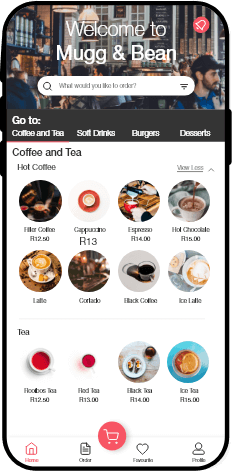
After you have checked-in to a restaurant, you can now view all of the menu items available. Again you have the option to filter by searching or via the pro- vided categories. The beverages and food menu’s appear below.

Payment Method

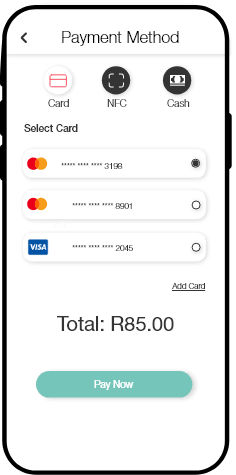
Swift offers a variety of payment options to allow customers to pay in the format that is most convenient to them.

Menu Item

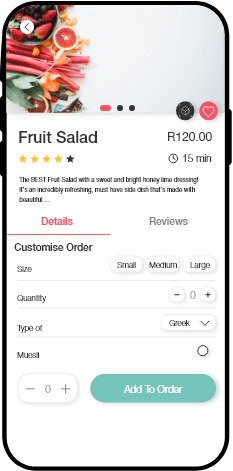
Once you are on the specific menu item’s page, you are provided with ratings left by other users, the item’s description, the esti- mated preperation time and more. From here you can customise the item by selecting the Size, Quanitity and the various specific attributes of each item. Select the attributes you prefer and click “Add To Order” if you wish to purchase this menu item.

Add Card

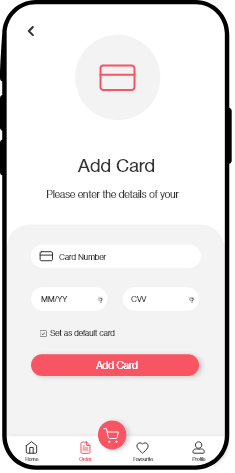
Customers can easily add new card information which is stored securely.

Forgot password

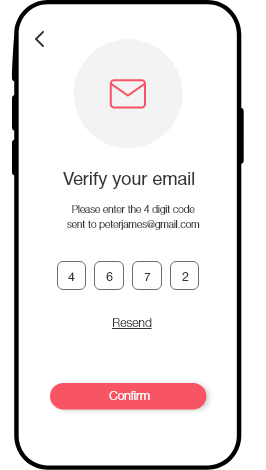
Swift has an elaborate email notification system that triggers when the customer uses different sections of the application e.g. forgot password.

Management Application
Managing Restaurants

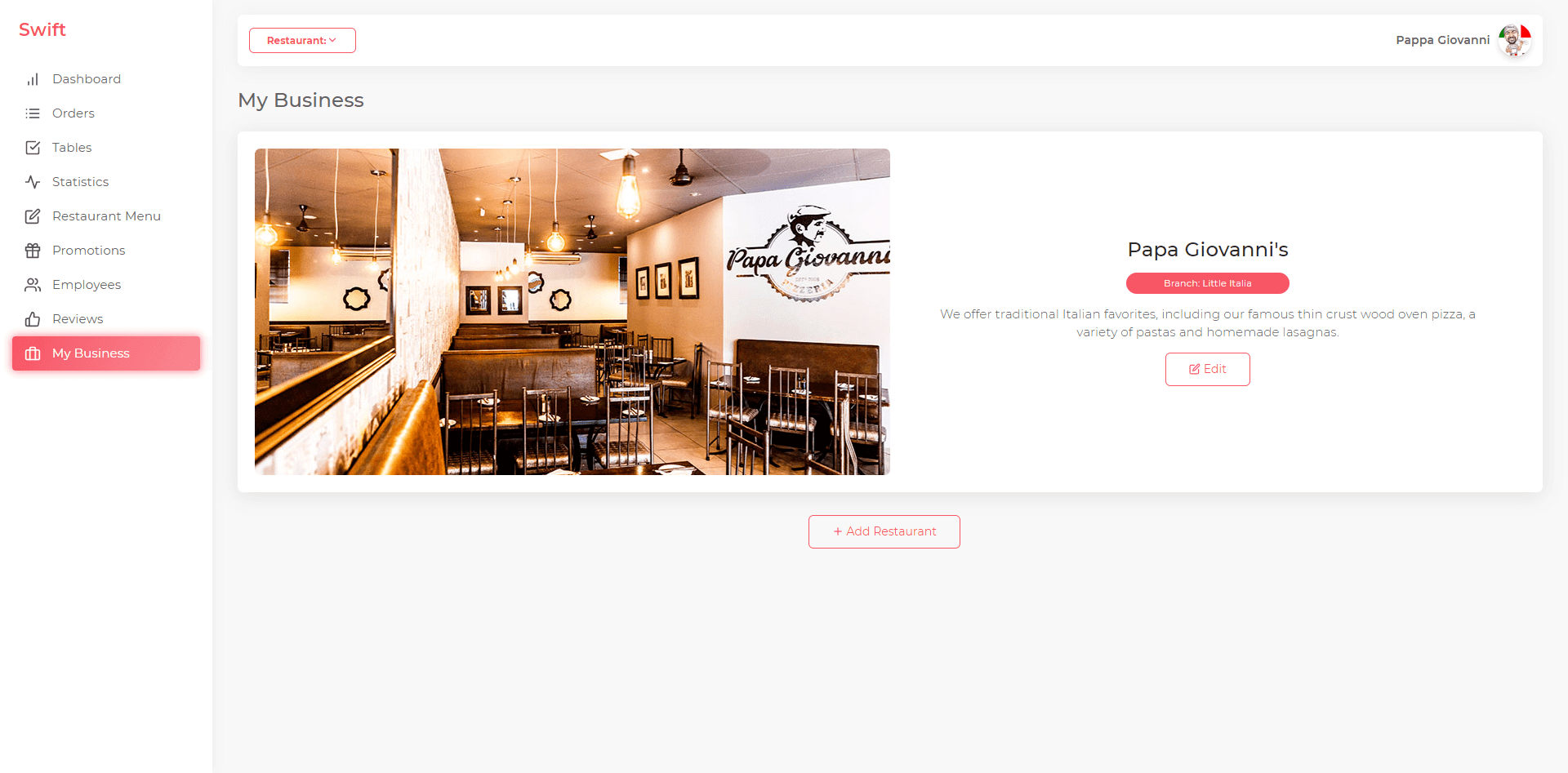
Anyone can register for the Swift management application and list their restaurant on the system. A user also has the option to create multiple restaurant branches, or even completely seperate businesses.

Manage Menu

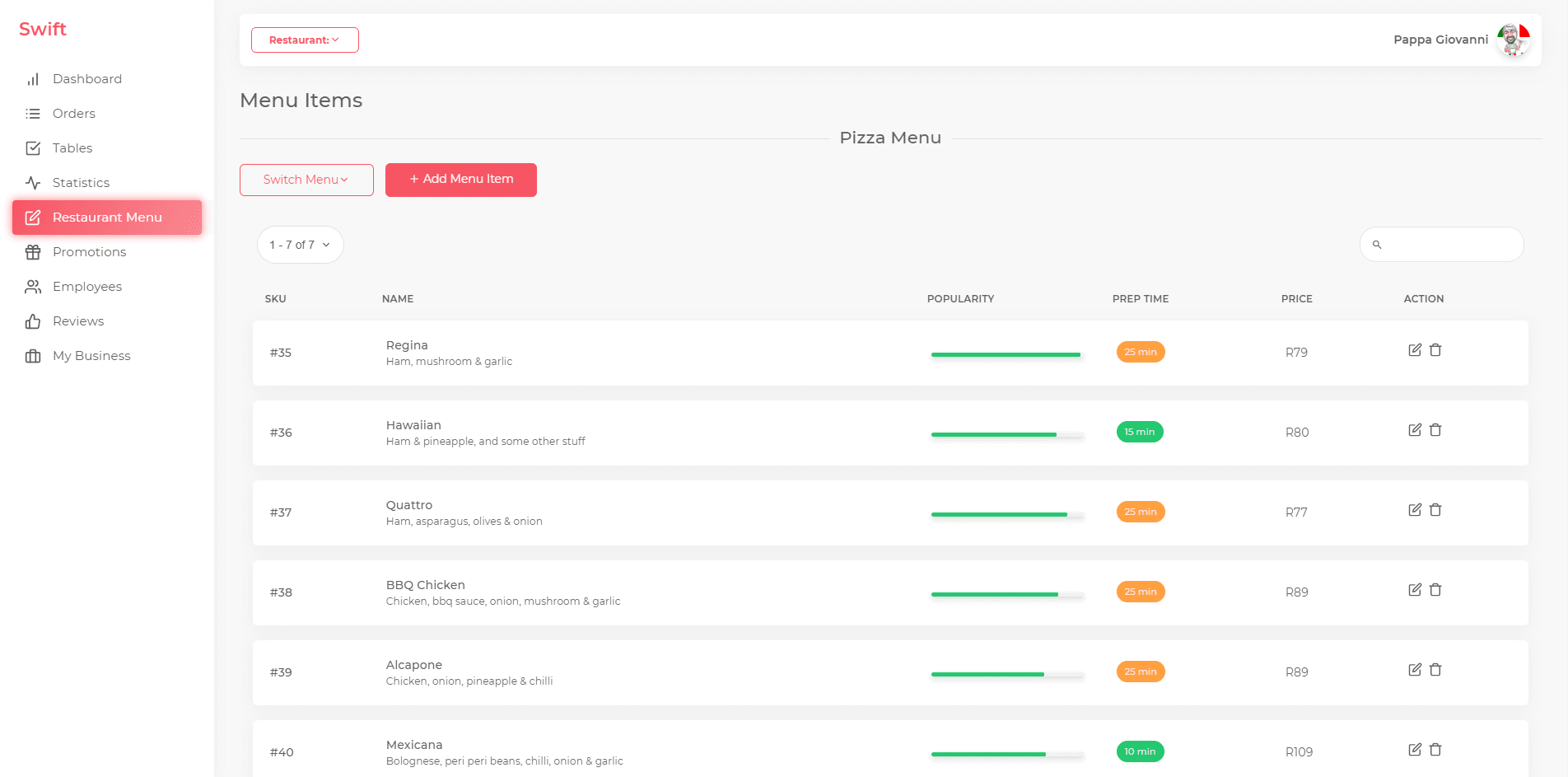
Heading to the Menu Items section will list all the menu items available at your Restaurant. You can use the checkboxes on the left of each menu item to select multiple items if you need to use a bulk action (Delete, Export). Clicking on the title of any field will arrange the menu items according to that field.

Management Dashboard

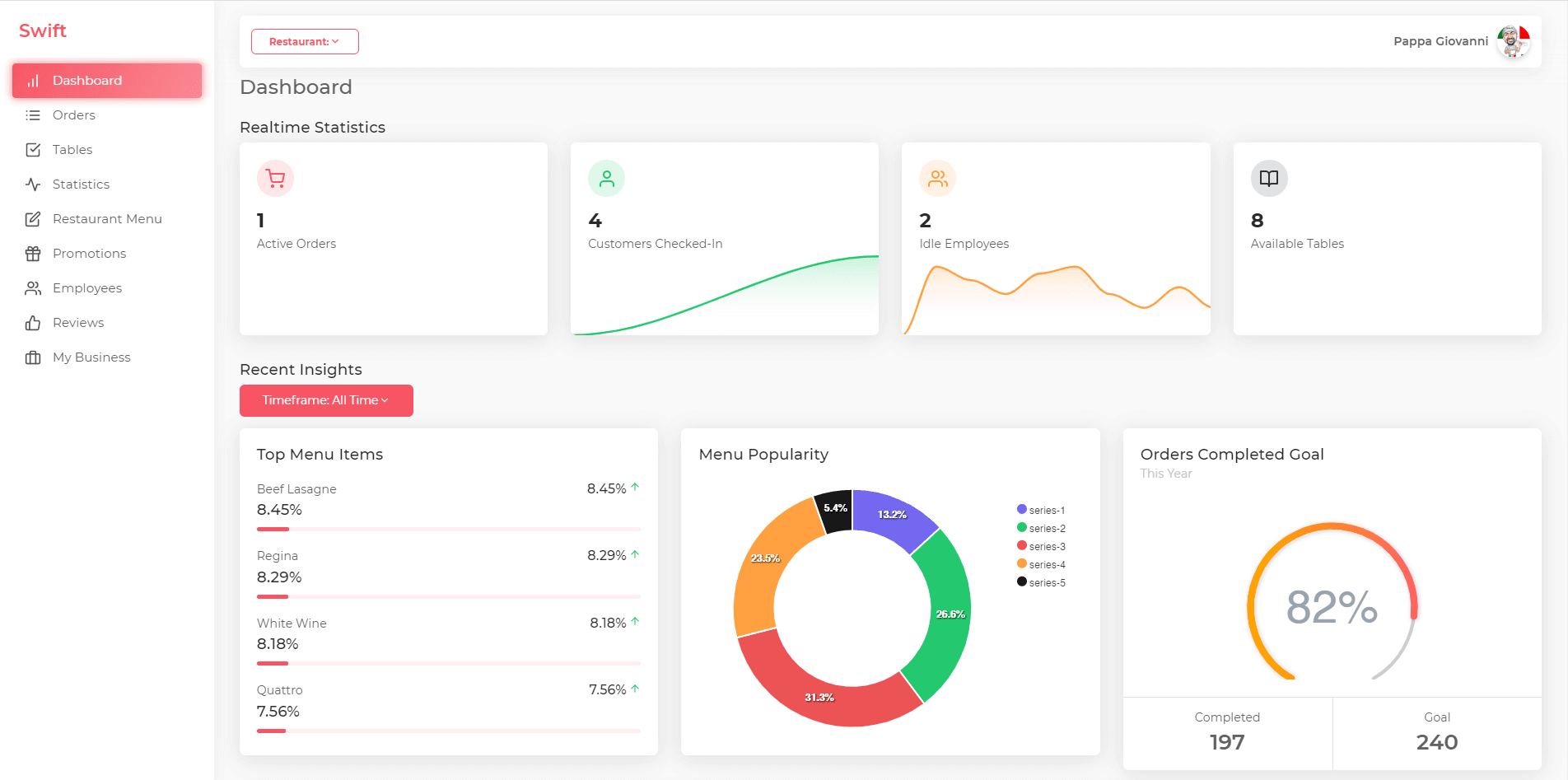
The dashboard can be used as a centralized hub where a restaurant owner and the em- ployees can get a birds-eye view of the orders, tables, customers and menu items

Technical Solutions
Problems
  1. 1. Asset-rich pages can lead to suboptimal performance and user experience.
  2. 2. A dynamic brand experience requires fresh content and frequent updates.
  3. 3. New restaurants must be added quickly and efficiently.
  4. 4. Ensure efficient, stable experiences for users across all devices.
  5. 5. A large system of design components may overwhelm internal teams.
Solutions
  1. 1. High-performance media and assets served by Adobe’s best media management tools.
  2. 2. Streamlined content operations with custom CMS components and capabilities.
  3. 3. A strategic module system lets authors create content that isn’t stale or repetitive.
  4. 4. A custom and performance-tuned component and build system on the front end.
  5. 5. Robust code documentation and design guidelines ensures alignment across teams.
Technologies Used

Want to work with us?

Next Project: VitaminSea

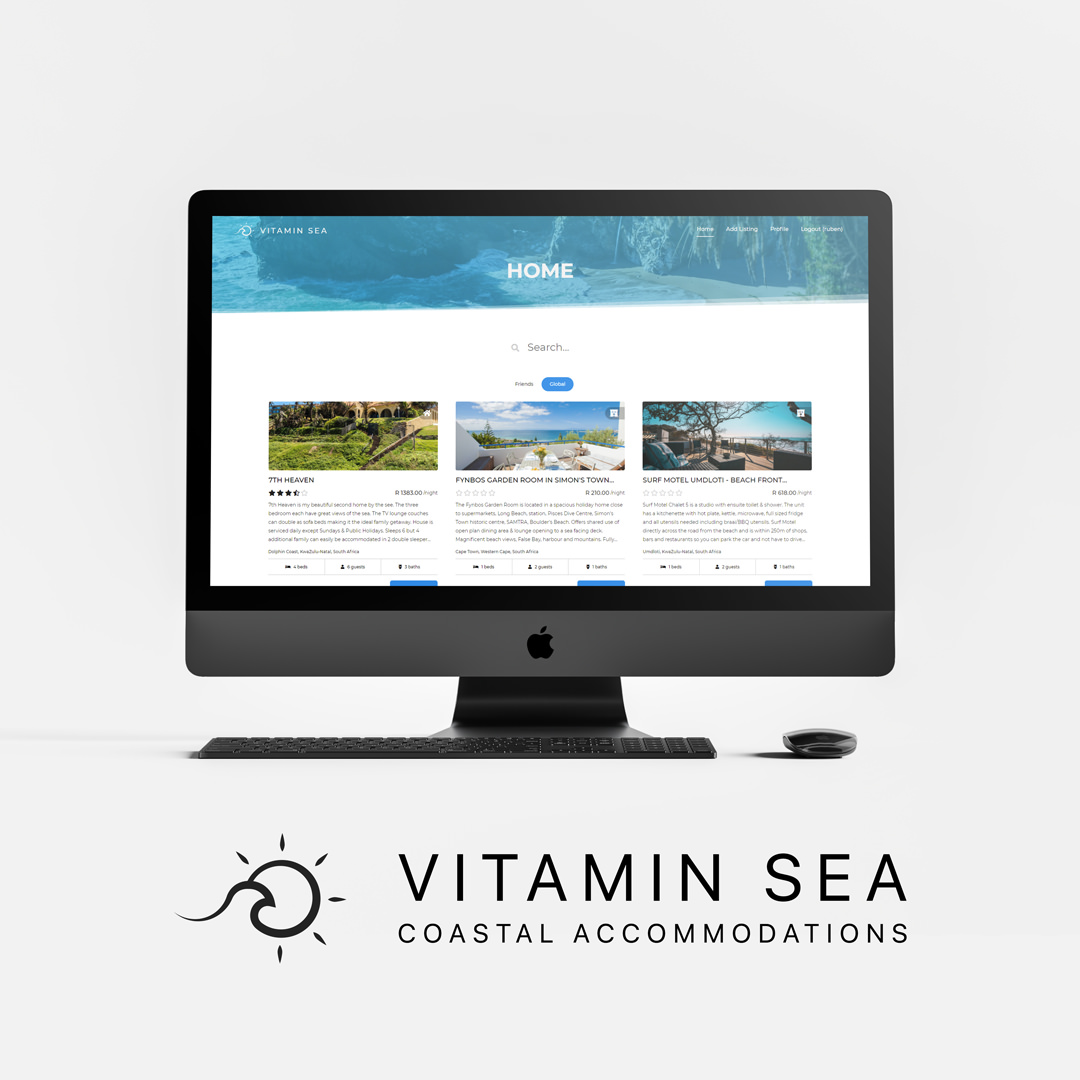
VitaminSea

By Influx.Studio
VitaminSea is a beachside accommodation-sharing
platform to connect prospective adventure-seekers
to their ideal holiday getaway. It aims to provide
targeted and personalised accommodations all
across the world at your favourite tropical destinations.
Project Focus
Branding, UI/UX, Web Development